

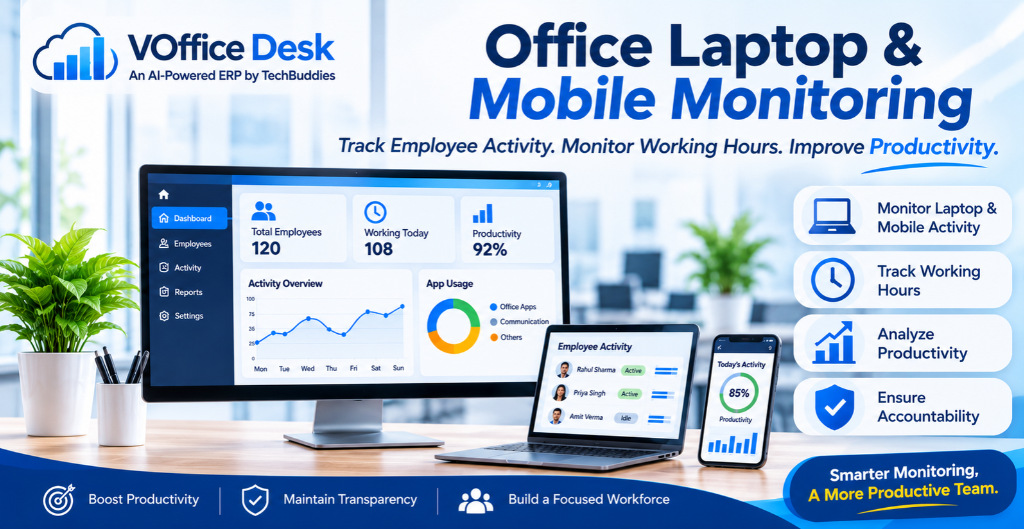
Get Real-Time Workforce Visibility. Monitor Activities. Improve Productivity.
Managing employees in today’s digital workplace requires more than attendance records and manual performance reports. With remote work, hybrid teams, and multiple devices becoming part of everyday business operations, organizations need better ways to understand how their employees spend working hours.
Office laptop and mobile monitoring software helps businesses gain visibility into employee activities, application usage, working hours, and productivity levels. Instead of relying entirely on manual updates, managers can access useful insights into daily work patterns and team performance.
Whether employees work from the office, home, or different locations, the right employee monitoring solution helps businesses maintain better control over workforce activities.
Why Do Businesses Need Office Laptop & Mobile Monitoring?
Employees use multiple devices to complete their daily responsibilities. Laptops are commonly used for office applications, project management, communication, and business operations, while mobile devices support communication and work-related activities on the go.
Without proper monitoring tools, managers may find it difficult to understand working patterns, identify productivity gaps, or manage distributed teams.
Office laptop and mobile monitoring helps businesses:
- Monitor employee activities during working hours.
- Track application and software usage.
- Understand active and idle time.
- Maintain better visibility into working hours.
- Identify productivity gaps and workflow challenges.
- Improve accountability across teams.
- Generate useful productivity reports.
The goal is not simply to monitor employees but to create a more organized, transparent, and productive workplace.
1. Real-Time Laptop Activity Monitoring
Office laptops are essential tools for employees across departments, including sales, marketing, HR, finance, customer support, and operations.
Laptop monitoring software helps businesses understand how employees use their devices during working hours.
Managers can gain insights into:
Application Usage: Understand which applications employees use during their working hours.
Activity Monitoring: Get visibility into employee computer activities and work patterns.
Working Hours: Monitor working time and understand daily time utilization.
Active and Idle Time: Identify active working periods and inactive sessions.
Productivity Insights: Analyze activity patterns to identify opportunities for improving efficiency.
This information helps managers understand how work time is being utilized and where operational improvements may be required.
2. Mobile Employee Monitoring for Modern Workplaces
With employees increasingly using mobile devices for business communication and daily operations, mobile activity monitoring is becoming an important part of workforce management.
Businesses need solutions that provide appropriate visibility into work-related mobile activities.
Depending on device compatibility and monitoring permissions, mobile monitoring can help organizations understand supported work activity and device usage.
It is particularly useful for businesses managing field employees, remote teams, sales representatives, and employees who frequently work outside the office.
3. Track Employee Working Hours and Activity Levels
Knowing when employees log in and log out is important, but understanding how their working hours are utilized provides additional value.
Employee monitoring software helps businesses review working hours, activity levels, and idle periods through organized reports.
Managers can use these insights to:
- Understand daily working patterns.
- Identify excessive idle periods.
- Review employee activity trends.
- Improve time management.
- Plan workloads more effectively.
Combining attendance information with productivity insights gives organizations a broader understanding of workforce performance.
4. Application Usage Monitoring: Understand Where Work Happens
Employees regularly switch between different applications throughout the day.
Some applications support business activities, while others may not be directly related to assigned responsibilities.
Application usage monitoring helps businesses understand how employees spend time across different software and applications.
For example, managers can review the time spent using project management tools, communication platforms, office applications, and other work-related software.
These insights can help identify unnecessary distractions, improve application utilization, and create better working practices.
5. Improve Remote Employee and Hybrid Team Management
Managing remote employees can be challenging when managers cannot directly observe daily work activities.
Laptop and mobile monitoring provides businesses with better visibility into distributed teams.
Managers can review employee activity, working hours, and productivity information through a centralized system.
This helps organizations maintain consistent workforce management practices regardless of where employees work.
However, monitoring should always be transparent, proportionate, and aligned with employee privacy policies.
6. Employee Productivity Reports for Better Decisions
Collecting employee activity data is only useful when businesses can understand and apply it.
Productivity reports help managers review employee activity patterns, working hours, and team performance.
Instead of depending on frequent follow-ups, managers can use reports to identify potential issues and make informed decisions.
Regular productivity analysis can help businesses:
- Recognize productive work patterns.
- Identify workflow inefficiencies.
- Improve resource allocation.
- Understand team performance.
- Support better workforce planning.
It is also important to evaluate completed tasks, work quality, and business outcomes rather than measuring productivity through screen activity alone.
7. How VOffice Desk Makes Employee Productivity Tracking Easier
VOffice Desk provides businesses with a centralized Productivity Tracking Module designed to improve workforce visibility and productivity management.
Organizations can monitor employee activities across supported laptops and mobile devices while accessing useful information about working hours, application usage, activity levels, and productivity.
Key Features of VOffice Desk Productivity Tracking
Real-Time Employee Activity Monitoring
Gain visibility into employee activities during working hours and understand daily work patterns.
Laptop & Mobile Activity Tracking
Monitor employee activity across supported devices to improve workforce visibility.
Working Hours Monitoring
Understand employee working hours and time utilization through organized tracking.
Application Usage Tracking
Review application usage to understand how employees spend their working time.
Active & Idle Time Monitoring
Identify active and inactive periods to gain better insights into employee activity.
Productivity Reports
Access productivity information to evaluate work patterns and identify areas for improvement.
Centralized Workforce Management
Manage employee productivity information through one connected business management platform.
With VOffice Desk, businesses can move beyond traditional attendance monitoring and build a more structured approach to employee productivity management.
8. What to Look for in Employee Laptop & Mobile Monitoring Software?
Before selecting an employee monitoring solution, businesses should evaluate whether it meets their operational requirements.
Here are some important factors to consider:
- Device Compatibility: Check whether the software supports the laptops and mobile devices used by your employees.
- Real-Time Monitoring: Look for useful employee activity visibility during working hours.
- Application Tracking: Ensure application usage can be reviewed through appropriate reports.
- Productivity Analytics: Choose a solution that helps managers understand activity patterns.
- Data Security: Ensure employee information is protected through appropriate security controls.
- Ease of Use: Select software that employees and managers can use without unnecessary complexity.
- Privacy & Transparency: Ensure monitoring policies are communicated clearly and comply with applicable laws.
Choosing the right solution can help businesses improve productivity without creating unnecessary monitoring pressure.
Conclusion: Build a More Productive Workplace with Smart Employee Monitoring
Office laptop and mobile monitoring is becoming an important part of modern workforce management. Businesses need more than attendance records to understand how employees work, how time is utilized, and where productivity can improve.
With real-time activity visibility, application usage monitoring, working hour tracking, and productivity reports, organizations can make better workforce decisions.
VOffice Desk brings employee productivity tracking into a connected business management platform, helping organizations monitor activities, understand work patterns, and improve operational efficiency.
Ready to Improve Employee Productivity?
Discover VOffice Desk and explore smarter ways to monitor employee activities, track working hours, and manage workforce productivity.
Start Your Free Trial Today!