

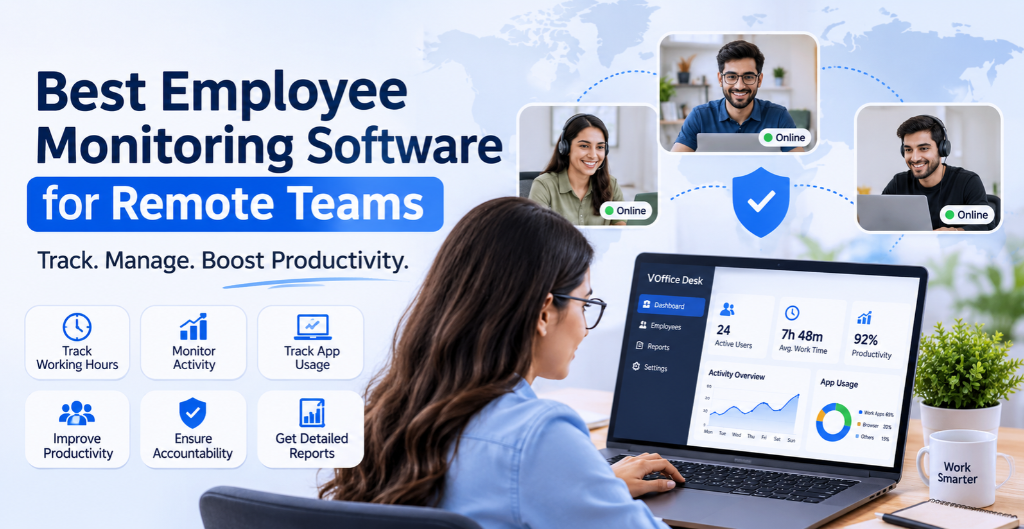
Remote and hybrid working have changed how businesses manage their employees. Teams now work from different locations, making it difficult for managers to track working hours, monitor daily activities and understand overall productivity.
This is where Employee Monitoring Software becomes important. It helps businesses monitor employee activities, track working hours, understand application usage and measure workforce productivity through a centralised dashboard.
As companies prepare for 2027, choosing the right Remote Employee Monitoring Software is becoming essential for maintaining transparency, improving accountability and managing distributed teams effectively.
What Is Employee Monitoring Software?
Employee Monitoring Software is a digital solution that helps businesses monitor work-related activities performed by employees on their laptops and mobile devices.
It provides insights into working hours, active time, idle time, application usage and productivity levels.
For remote teams, this software helps managers understand how employees spend their working hours without requiring physical supervision.
Modern employee monitoring solutions can include:
- Real-time employee activity monitoring.
- Working hours and attendance tracking.
- Application and website usage monitoring.
- Active and idle time tracking.
- Productivity reports and performance insights.
- Screenshot and screen activity monitoring.
Why Do Remote Teams Need Employee Monitoring Software?
Managing remote employees requires more than daily meetings and task updates. Businesses need accurate information about working hours, task progress and employee productivity.
Here are some important reasons why companies are adopting employee monitoring solutions.
1. Track Employee Working Hours
Manual attendance management can create errors and unnecessary administrative work. Employee monitoring software helps businesses track working hours and understand daily work patterns.
2. Improve Employee Productivity
Managers can identify productive hours, inactive periods and application usage patterns. These insights help businesses understand productivity gaps and improve work processes.
3. Monitor Remote Employee Activities
With remote employee monitoring software, managers can get better visibility into work-related activities performed on company devices.
4. Improve Team Accountability
Activity reports help managers understand employee performance and identify delays or operational challenges.
5. Manage Distributed Teams
Businesses managing employees across multiple locations can monitor workforce activity through a centralised platform.
7 Important Features to Look for in Employee Monitoring Software
Before selecting an employee monitoring solution, businesses should understand which features are important for their workforce.
1. Real-Time Employee Activity Monitoring
Real-time activity monitoring helps managers understand employee work patterns during working hours.
It provides visibility into employee activity and helps identify periods of high and low engagement.
2. Application and Website Usage Tracking
Understanding application usage is important for measuring workplace productivity.
Software should help managers identify which applications and websites employees use during working hours.
3. Active and Idle Time Tracking
Active and idle time tracking helps businesses understand how employees utilise their working hours.
It provides useful information for identifying inactive periods and improving workforce management.
4. Screenshot and Screen Recording
Some employee monitoring solutions provide screenshots and screen recording features to offer additional visibility into work-related activities.
These features can help managers review work processes when necessary.
5. Employee Productivity Reports
Productivity reports make it easier to evaluate employee activity, working hours and team performance.
Managers can use these reports to identify improvement opportunities.
6. Laptop and Mobile Monitoring
Modern businesses need monitoring solutions that support employees working across different devices.
Laptop and mobile activity monitoring can help organisations maintain better workforce visibility.
7. Centralised Management Dashboard
A centralised dashboard allows managers to view employee activity and productivity information in one place instead of managing multiple tools.
Why Choose VOffice Desk for Employee Monitoring?
Managing remote employees becomes easier when businesses have the right tools to monitor activities and manage daily operations.
VOffice Desk provides an Employee Productivity Tracking solution designed to help businesses monitor employee activities on laptops and mobile devices.
It gives managers better visibility into workforce activity while helping organisations understand employee productivity.
Key Features of VOffice Desk Employee Tracking
Real-Time Activity Monitoring
Monitor employee activities during working hours and get better visibility into daily work patterns.
Working Hours Tracking
Track employee working hours and understand how time is utilised throughout the day.
Application Usage Monitoring
Understand which applications employees use during working hours and identify activity patterns.
Active and Idle Time Tracking
Monitor active and idle periods to understand employee work behaviour.
Productivity Monitoring
Get insights into employee activity levels and productivity to support better workforce management.
Centralised Dashboard
Access employee activity information from a centralised platform and simplify workforce monitoring.
More Than Just Employee Monitoring
Employee monitoring is only one part of business management.
With VOffice Desk, businesses can also manage multiple operations through one platform.
Additional capabilities include:
- HRMS: Manage employee records, attendance, leave and payroll.
- Recruitment: Simplify recruitment activities and CV management with AI assistance.
- CRM: Manage leads, customer information and sales activities.
- Project Management: Organise projects, tasks and team responsibilities.
- Ticket Management: Manage customer and internal support requests.
- Asset Management: Track company assets and employee allocations.
- Finance & Billing: Manage invoices and financial operations.
- Productivity Suite: Monitor employee activity and workforce productivity.
Instead of managing separate software for different departments, businesses can bring their operations together with VOffice Desk.
How to Choose the Right Employee Monitoring Software?
Every organisation has different monitoring requirements. Before selecting software, consider these important factors:
Business Requirements: Identify whether you need time tracking, activity monitoring, application tracking or complete workforce management.
Ease of Use: Choose software with a simple dashboard that managers and employees can understand.
Device Compatibility: Check whether the software supports the devices used by your remote workforce.
Reporting: Look for detailed reports that help managers understand employee activity and productivity.
Data Privacy: Make sure monitoring practices are transparent, proportionate and aligned with applicable privacy and employment laws.
Scalability: Select a platform that can support your growing workforce.
Final Thoughts
Remote work requires better visibility, accountability and workforce management. The right Employee Monitoring Software helps businesses understand employee activities, track working hours and improve productivity.
Whether you manage a small remote team or a growing organisation, investing in the right monitoring solution can simplify workforce management.
VOffice Desk brings employee productivity tracking and essential business management capabilities together in one platform.
Ready to manage your remote workforce more efficiently?
Explore VOffice Desk and simplify your business operations.
Frequently Asked Questions (FAQs)
1. What is the best employee monitoring software for remote teams?
The best employee monitoring software depends on your business requirements. VOffice Desk, Hubstaff, Time Doctor and Insightful are some platforms businesses can explore for employee activity monitoring and productivity tracking.
2. How does remote employee monitoring software work?
Remote employee monitoring software tracks work-related activities such as working hours, application usage, active time and idle time. Some solutions also offer screenshots and screen recording.
3. Can employee monitoring software track laptop activity?
Yes. Employee laptop monitoring software can track application usage, active and idle time, working hours and other work-related activities, depending on the features available.
4. Can businesses monitor employees working from home?
Yes. Remote employee monitoring software helps businesses monitor work-related activities and productivity for employees working from home or other remote locations.
5. Does employee monitoring software improve productivity?
It can help improve productivity by identifying inactive periods, understanding application usage and providing insights into employee work patterns.
6. Is employee monitoring software suitable for small businesses?
Yes. Small businesses can use employee monitoring software to manage working hours, understand employee activities and improve workforce accountability.
7. What is the difference between employee monitoring and employee productivity tracking?
Employee monitoring focuses on tracking work-related activities, while employee productivity tracking focuses on understanding work patterns, active hours and overall productivity.