

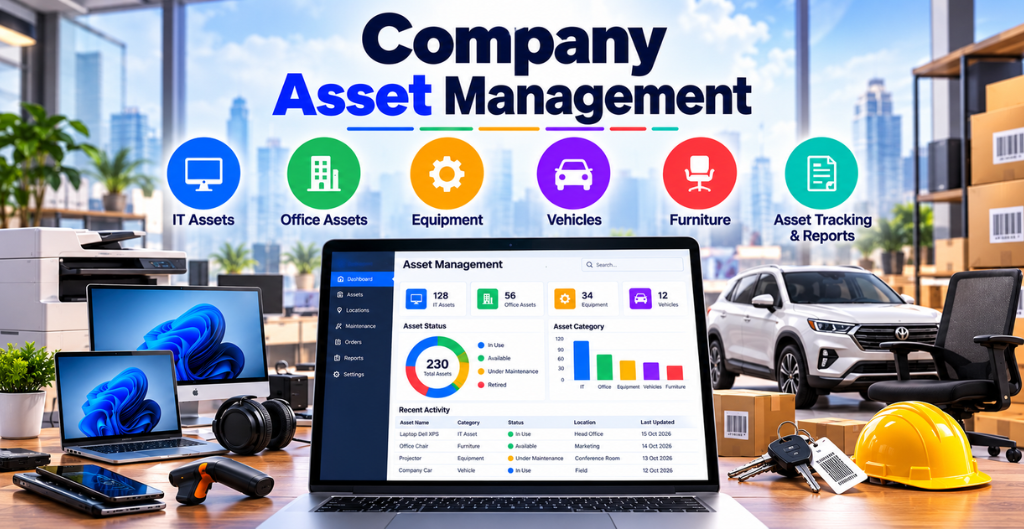
Every business invests in laptops, computers, mobile phones, and other equipment to help employees perform their daily tasks. But as a company grows, managing these assets becomes increasingly challenging.
Who is using which laptop? How many devices are available for new employees? Has a resigned employee returned their company laptop? Which assets are under repair, and which are ready for reassignment?
Without a proper tracking process, these questions can lead to confusion, unnecessary purchases, and lost company resources.
Company asset management helps businesses maintain accurate records, simplify employee laptop allocation, and track equipment throughout its lifecycle. With a centralized system like VOffice Desk, organizations can improve visibility and maintain better control over their assets.
How to Manage Company Assets and Employee Laptop Allocation
1. Keep All Company Assets in One Place
Managing assets through multiple spreadsheets, emails, and paper records can make information difficult to access. As the number of employees and devices increases, maintaining accurate records becomes even more complicated.
A centralized asset management system allows businesses to organize important information in one place.
For each asset, businesses should maintain details such as:
- Asset name, category, and identification number
- Brand, model, and serial number
- Purchase date and warranty information
- Current location and availability
- Assigned employee and department
- Asset condition and maintenance history
These records help HR teams, IT administrators, and management quickly identify available equipment and review existing allocations.
2. Simplify Employee Laptop Allocation
Laptop allocation is an essential part of employee onboarding, especially for companies with multiple departments and growing teams.
When a new employee joins, the IT or administration team must identify an available device, assign it to the employee, and record the handover details.
A structured allocation process helps businesses avoid duplicate assignments and unnecessary purchases.
An effective laptop allocation process includes:
- Check the availability of company laptops.
- Verify the device’s condition before handover.
- Record the employee’s details and assigned asset.
- Document the allocation date and handover acknowledgement.
- Update the asset status to reflect the assignment.
For example, if a company already has five unused laptops, the IT team can identify those devices and allocate them to new employees instead of purchasing additional equipment.
This improves resource utilization and helps control business expenses.
3. Track Asset Allocation and Deallocation Dates
Knowing who currently has a company laptop is important, but businesses also need to know when the device was assigned and when it was returned.
Maintaining allocation and deallocation dates creates a clear history of asset movement.
Consider a situation where an employee receives a laptop on 10 January and returns it on 30 September. Recording both dates helps the company understand the device’s assignment history and determine when it becomes available for another employee.
Important details to track include:
- Employee name and employee ID
- Assigned laptop or device
- Allocation date
- Return or deallocation date
- Asset condition at handover and return
- Current asset status
These records are particularly useful during employee exits, internal transfers, equipment replacements, and audits.
4. Manage Employee Exits and Asset Returns
Employee offboarding is one of the most important stages of asset management.
When an employee leaves an organization, the company must ensure that assigned laptops, mobile phones, access cards, and other equipment are returned according to its policies.
Without accurate records, devices may remain unreturned or their ownership may become unclear.
A proper asset return process should include:
- Reviewing the employee’s assigned assets
- Confirming the return of company equipment
- Recording the actual return date
- Checking the physical condition of each device
- Updating the asset’s availability status
- Following company procedures for securing business data and revoking access
Once a returned laptop has been inspected, it can be marked as available, sent for repair, or retired if it is no longer suitable for use.
This helps businesses maintain accountability and prepare equipment for future employees.
5. Avoid Unnecessary Equipment Purchases
Many businesses purchase new laptops because they do not have clear visibility into their existing inventory.
Some devices may be sitting unused in storage, while others remain assigned to employees who have already left the organization.
Without reliable asset records, identifying these devices can be difficult.
An asset management system helps businesses review:
- Total company-owned devices
- Currently assigned laptops
- Available equipment
- Devices awaiting return
- Equipment under repair
- Devices that need replacement
For example, before purchasing ten new laptops, an administrator can check whether suitable devices are already available.
Better asset visibility leads to better purchasing decisions and more efficient use of company resources.
6. Maintain Asset Maintenance and Warranty Records
Company laptops and other IT equipment require regular maintenance to remain reliable.
Businesses that fail to track warranty periods and maintenance requirements may face avoidable repair expenses or unexpected equipment failures.
Maintaining organized records helps teams monitor:
- Purchase and warranty expiry dates
- Repair and maintenance history
- Device condition and performance issues
- Replacement requirements
- Equipment retirement dates
Regular maintenance also helps businesses plan IT budgets and reduce disruptions caused by equipment failures.
When an asset requires repair, its status should be updated so that it is not accidentally allocated to another employee.
7. Improve Asset Accountability and Security
Company assets are valuable resources, and every employee should understand their responsibility for assigned equipment.
Laptops may contain confidential business documents, client information, and other sensitive data. Therefore, asset management should be supported by clear security and handover policies.
Businesses can improve accountability by maintaining signed handover acknowledgements, recording device condition, and restricting access to asset records according to employee roles.
Additional precautions include:
- Using device passwords and appropriate access controls
- Following company data-protection policies
- Revoking access when employees leave
- Securely erasing company data before device reassignment or disposal
- Maintaining records of lost, damaged, or replaced equipment
These practices help protect company resources and support responsible asset handling.
Use Asset Reports for Better Business Decisions
Asset reports provide management with a clearer picture of how company resources are being used.
Instead of manually checking individual records, authorized users can review available information to understand asset distribution and identify potential issues.
Useful asset reports may include:
- Employee-wise asset allocation
- Available versus assigned equipment
- Returned and pending-return assets
- Damaged or under-repair devices
- Asset purchase and maintenance costs
- Asset lifecycle and replacement requirements
These insights can help businesses plan future purchases, reduce equipment waste, and improve operational efficiency.
Simplify Company Asset Management with VOffice Desk
As businesses expand, manually tracking every laptop, mobile phone, and office device becomes increasingly difficult. A structured asset management solution can make the process easier and more organized.
VOffice Desk’s Asset Management module helps businesses maintain asset records and improve visibility into asset availability, allocation, and ownership.
With a centralized approach, businesses can organize important asset information and simplify day-to-day administration.
Why Company Asset Management Matters
Company Asset Management helps businesses maintain accurate records of laptops, computers, mobile phones, and other office equipment. It allows administrators to identify available assets, track employee assignments, and maintain clear allocation and return records. With a structured process, businesses can reduce manual work and improve resource utilization.
Benefits of a Company Asset Management System
A Company Asset Management System gives businesses better visibility into their equipment and allocation history. Teams can identify unused laptops, track returned devices, and maintain records of assets assigned to employees. This makes employee onboarding, offboarding, and equipment planning easier.
Simplify Laptop Tracking with VOffice Desk
VOffice Desk helps businesses organize asset information and track employee-wise laptop allocation. By maintaining asset availability, allocation dates, and deallocation records, businesses can improve accountability and make better use of existing equipment.
Businesses should also follow appropriate cybersecurity practices when assigning and managing company laptops. Refer to the NIST Cybersecurity Framework for guidance on managing cybersecurity risks and protecting business resources.
Conclusion
Managing company assets involves much more than maintaining a list of laptops and office equipment. Businesses need to know where their assets are, who is using them, when they were allocated, and whether they have been returned in good condition.
A structured company asset management process helps organizations simplify employee onboarding, manage offboarding, reduce unnecessary purchases, and maintain better accountability.
With VOffice Desk, businesses can organize asset records, track employee-wise allocations, and maintain greater visibility into company resources.
Track Smarter. Allocate Better. Manage Every Asset with Confidence.
Explore VOffice Desk to discover how a centralized asset management process can help simplify your business operations.