

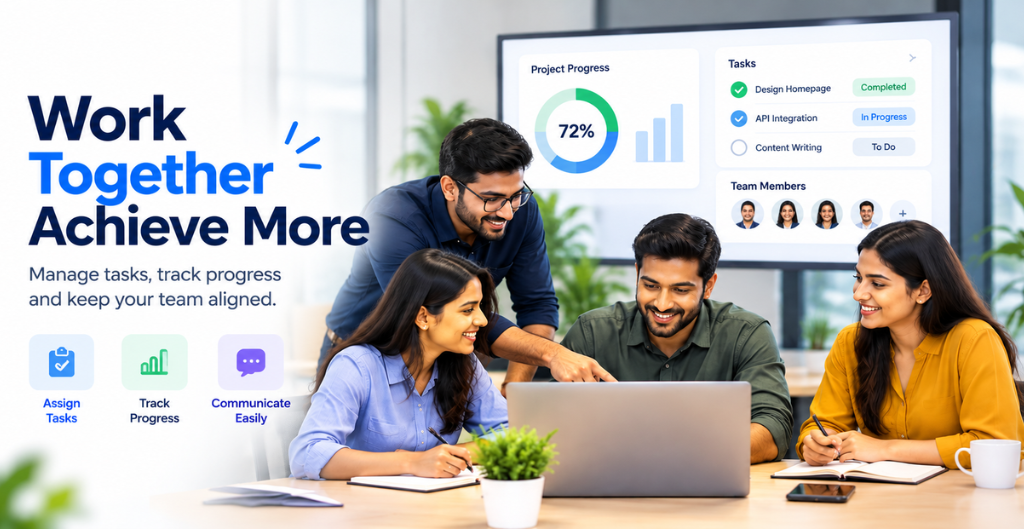
Are your employees spending more time chasing updates than completing their actual work? Are important tasks getting delayed because information is scattered across emails, spreadsheets, and different applications?
These challenges are common in growing businesses. When teams use disconnected tools to manage projects, communicate with colleagues, track tasks, and handle daily operations, even simple activities can become complicated.
This is where connected business software makes a difference. By bringing essential business operations into one platform, companies can improve team collaboration, establish clear responsibilities, monitor progress, and help employees work toward shared goals.
Let’s explore how connected business software can transform the way teams communicate, collaborate, and stay accountable.
What Is Connected Business Software?
Connected business software brings different business functions together within a unified platform. Instead of switching between multiple applications, employees and managers can access relevant information, coordinate activities, and track work from a central location.
For example, an employee can receive an assigned task, communicate with the responsible team member, update its progress, and submit the completed work. Meanwhile, managers can monitor deadlines, identify pending activities, and understand the overall status without repeatedly asking for updates.
A connected business platform may include:
- Task and Ticket Management: Assign work, set priorities, and track progress.
- Project Management: Coordinate project activities, responsibilities, and deadlines.
- Employee Management: Maintain employee information and simplify HR processes.
- CRM and Lead Management: Keep customer information, sales activities, and follow-ups organized.
- Productivity Tracking: Understand work patterns, activity levels, and team performance.
- Finance and Procurement: Organize invoices, expenses, purchases, and vendor-related activities.
When these functions work together, businesses can reduce information gaps and create a more organized working environment.
1. Improve Team Collaboration with Centralized Information
One of the biggest challenges in teamwork is finding the right information at the right time.
Employees often depend on email threads, messaging applications, spreadsheets, and personal reminders to complete their work. As a result, important updates can get missed, and team members may end up working with outdated information.
Connected business software helps solve this problem by bringing relevant information into a shared workspace.
Employees can access task details, project updates, assigned responsibilities, and important records according to their access permissions. This makes it easier for everyone involved to stay informed and coordinate their work.
How it helps:
- Reduces confusion caused by scattered information.
- Makes project updates easier to access.
- Helps departments coordinate their activities.
- Reduces repetitive communication and unnecessary follow-ups.
Example: When a sales representative updates a lead’s status, the relevant team members can access the latest information instead of relying on separate spreadsheets or repeated messages.
The result is smoother communication and better coordination across teams.
2. Build Accountability with Clear Task Ownership
Team collaboration becomes more effective when everyone understands their responsibilities.
When tasks are assigned informally, employees may be unsure who should complete the work, when it is due, or who is responsible for the next step. This can lead to delays, duplicated efforts, and unnecessary disagreements.
Connected business software helps establish clear ownership by allowing managers to assign tasks, define priorities, set deadlines, and monitor progress.
Each task can have a designated owner, a defined status, and relevant updates that make its progress easier to understand.
How it helps:
- Defines who is responsible for each task.
- Makes deadlines and priorities visible.
- Helps managers identify overdue activities.
- Encourages employees to take ownership of their work.
- Creates a clearer record of task progress and completion.
For example, if a customer support ticket is assigned to a particular employee, the manager can check its status and identify whether further action is required.
Accountability becomes part of the daily workflow rather than something that depends entirely on reminders from managers.
3. Track Project Progress Without Constant Follow-Ups
Managers need visibility into ongoing work, but constantly asking employees for updates can consume valuable time.
Questions such as “Is the task completed?”, “Who is handling this?”, and “Why is the project delayed?” often indicate that the business lacks a reliable way to track progress.
Connected business software provides a more structured approach.
Managers can review task statuses, pending activities, project milestones, and completion updates through a centralized dashboard. This allows them to identify delays and address problems before they affect larger business objectives.
For managers, this means:
- Better visibility into ongoing projects.
- Faster identification of bottlenecks.
- More organized workload distribution.
- Less time spent collecting manual updates.
- Better-informed decisions about priorities and resources.
Instead of chasing updates throughout the day, managers can focus on supporting employees, resolving challenges, and keeping projects on track.
4. Connect Departments for Better Cross-Team Coordination
In many organizations, departments work with different priorities and systems. The sales team manages leads, HR handles employee information, finance processes invoices, and operations coordinates daily activities.
When these functions operate independently, information gaps can slow down the entire business.
Connected business software helps departments coordinate by making relevant information available across workflows, subject to appropriate access controls.
For example, when a new client project begins, the sales team may need to share customer requirements with the project team. The project team may then coordinate tasks with other departments, while finance manages the related billing activities.
A connected system helps organize these processes and reduces dependence on repeated manual communication.
The benefits include:
- Improved coordination between departments.
- Fewer information gaps during handovers.
- Better visibility into shared responsibilities.
- Reduced duplication of work.
- More consistent business processes.
When teams have access to the information they need, collaboration becomes easier and business activities can move forward with fewer interruptions.
5. Make Remote and Hybrid Teamwork More Organized
Managing a team becomes more challenging when employees work from different locations or follow different schedules.
Without a clear system for sharing updates and tracking responsibilities, managers may struggle to understand work progress. Employees may also find it difficult to determine task priorities or identify who is available to help.
Connected business software creates a shared digital workspace where teams can coordinate activities regardless of their physical location.
Employees can check assigned tasks, update their progress, access relevant documents, and communicate through available collaboration features. Managers can review work status and identify activities that require attention.
This approach supports:
- Better coordination across remote and office-based teams.
- Clearer communication about responsibilities.
- Improved visibility into task progress.
- Easier collaboration across departments and locations.
- More structured work handovers.
However, effective remote teamwork requires more than monitoring activity. Businesses should also establish clear expectations, respect employee privacy, and evaluate performance using meaningful outcomes.
6. Use Productivity Insights to Improve Team Performance
Completing more tasks does not always mean working more effectively. Businesses also need to understand whether employees are focusing on the right priorities and whether existing processes are creating unnecessary delays.
Productivity tracking and reporting tools can help managers understand work patterns, task completion, workload distribution, and potential inefficiencies.
When interpreted alongside work quality, deadlines, and business outcomes, these insights can help managers identify areas for improvement.
For example, if a team consistently spends too much time resolving similar support tickets, managers can investigate recurring problems, improve documentation, or introduce a more efficient workflow.
Productivity insights can help businesses:
- Identify recurring workflow bottlenecks.
- Understand workload distribution.
- Review task completion trends.
- Recognize opportunities to improve processes.
- Make better decisions about team support and resource allocation.
The goal should not be to measure productivity through activity alone. Instead, businesses should use relevant data to understand what helps employees deliver better results.
7. Reduce Manual Work with Connected Workflows
Manual processes can create unnecessary work for employees and managers.
Copying information between applications, sending repeated reminders, updating spreadsheets, and manually tracking task statuses can take time away from more valuable activities.
Connected business software can reduce this burden by organizing information and supporting automated workflows where appropriate.
Depending on the platform and its integrations, businesses may be able to automate task notifications, approval requests, follow-up reminders, status updates, and other repetitive activities.
For example, when a task approaches its deadline, the system may notify the assigned employee. If an approval is pending, the responsible manager may receive a reminder.
These small improvements can make daily operations more consistent and reduce the risk of important activities being overlooked.
The key is to automate repetitive processes while keeping people involved in decisions that require judgment, experience, or approval.
8. Create Transparency and Build a Culture of Trust
Accountability works best when employees understand what is expected of them and managers communicate expectations clearly.
A lack of visibility can create confusion. Employees may not know how their work contributes to team goals, while managers may find it difficult to identify the reasons behind delays.
Connected business software helps create transparency by making responsibilities, deadlines, progress, and relevant updates easier to review.
When implemented thoughtfully, this visibility can encourage employees to take ownership of their work and help managers provide timely support.
To build a healthy culture of accountability, businesses should:
- Set clear and realistic expectations.
- Assign responsibilities fairly.
- Provide regular and constructive feedback.
- Recognize completed work and meaningful contributions.
- Use performance data responsibly.
- Focus on solving problems rather than assigning blame.
Technology can support these practices, but strong leadership and open communication remain essential.
Why Businesses Need an All-in-One Business Management Platform
Using separate applications for every business function can create unnecessary complexity. Employees may need to remember multiple logins, managers may struggle to gather reports, and important information may remain isolated in different systems.
An all-in-one business management platform offers a more connected approach.
By bringing essential functions into one place, businesses can simplify everyday operations and improve coordination across teams.
A unified platform can help organizations manage:
- People and HR: Employee records, attendance, leave management, and payroll-related processes.
- Tasks and Projects: Work assignments, deadlines, ticket tracking, and progress updates.
- Customer Relationships: Lead management, customer records, and sales follow-ups.
- Productivity: Work patterns, activity insights, and team performance.
- Assets and Procurement: Asset assignments, purchasing activities, and vendor records.
- Finance and Billing: Invoices, expenses, and financial workflows.
The exact capabilities depend on the platform, available modules, and integrations. Businesses should select a solution that fits their actual workflows instead of adding technology they do not need.
How VOffice Desk Helps Teams Work Smarter
VOffice Desk is an all-in-one business management platform designed to help businesses organize their operations through connected business tools.
Instead of managing essential activities across disconnected systems, businesses can use relevant VOffice Desk modules to coordinate tasks, manage employee information, organize customer relationships, and improve visibility into daily operations.
Depending on the modules used, businesses can benefit from:
- Task and Ticket Management: Organize assigned work, monitor task statuses, and track pending activities.
- Project Management: Coordinate project-related responsibilities and follow progress.
- Employee Management: Maintain employee records and manage essential HR activities.
- CRM and Lead Management: Organize lead information, sales activities, and follow-ups.
- Productivity Suite: Gain insights into work activity and productivity patterns.
- Asset and Procurement Management: Maintain records of company assets, purchases, and related activities.
- Finance and Billing: Organize invoicing and related financial processes.
By bringing relevant business information and workflows together, VOffice Desk can help teams reduce manual coordination, improve visibility, and manage daily responsibilities more efficiently. https://www.microsoft.com/en-us/worklab?utm_source=chatgpt.com
Whether you manage a growing startup, an established company, or a team working across multiple departments, having the right business tools can make everyday collaboration more structured and manageable.
Explore the available features at VOffice Desk to discover how a connected business management platform can support your organization’s needs.
Conclusion: Better Collaboration Starts with Connected Workflows
Successful teamwork requires more than frequent meetings and constant messages. It depends on clear responsibilities, accessible information, coordinated processes, and a shared understanding of business goals.
Connected business software helps bring these elements together by making it easier to communicate, assign tasks, monitor progress, and identify opportunities for improvement.
When employees know what they need to do, managers can see how work is progressing, and departments can access the information they need, the entire organization can work more effectively.
Ready to simplify your business operations and improve team collaboration? Explore VOffice Desk and discover how the right business management platform can help your team stay organized, accountable, and focused on meaningful results.